Your gaming logo is the first thing people notice about you in the lobby, on YouTube, and across social media. A professional esports-style logo instantly communicates that you are a serious player. But creating a high-quality logo usually requires expensive software like Adobe Photoshop or Illustrator, hours of design work, and often a paid graphic designer.
That is exactly why we built the Taki FF AI Logo Maker — and today, we are excited to announce 4 brand new premium logo templates that take your gaming identity to the next level. These templates are powered by AI, which means each logo is uniquely generated based on your inputs. No two logos are ever the same.
What Makes These Templates Special?
Unlike pre-made logo packs you find on Google or Pinterest, our AI-powered templates generate a completely unique design every single time. Here is what makes our new templates stand out:
- AI-Generated Uniqueness: Each logo is created by artificial intelligence based on your specific inputs (name, color, style). You will never get the exact same logo as someone else.
- Custom Color Themes: Choose from over 15+ color options including Neon Red, Electric Blue, Toxic Green, Royal Purple, and more. The entire logo adapts to your selected color scheme.
- Photo Integration: Upload your own photo or character reference, and the AI incorporates your likeness into the design for a truly personal logo.
- High-Resolution Output: All logos are generated in high resolution, perfect for use as FF profile pictures, YouTube channel icons, Instagram display photos, and Discord avatars.
The 4 New Logo Templates
1. Toxic Green Logo
The Toxic Green Logo is designed for players who want a dangerous, edgy, and powerful look. Inspired by the biohazard aesthetic popular in gaming culture, this template features:
- A dynamic half-body character pose generating a glowing green energy sphere
- Green lightning crackling around the character's hand
- A circular glowing green ring framing the logo
- Dark smoky background with toxic energy mist effects
- Bold brush-stroke typography with metallic white text and green glow edges
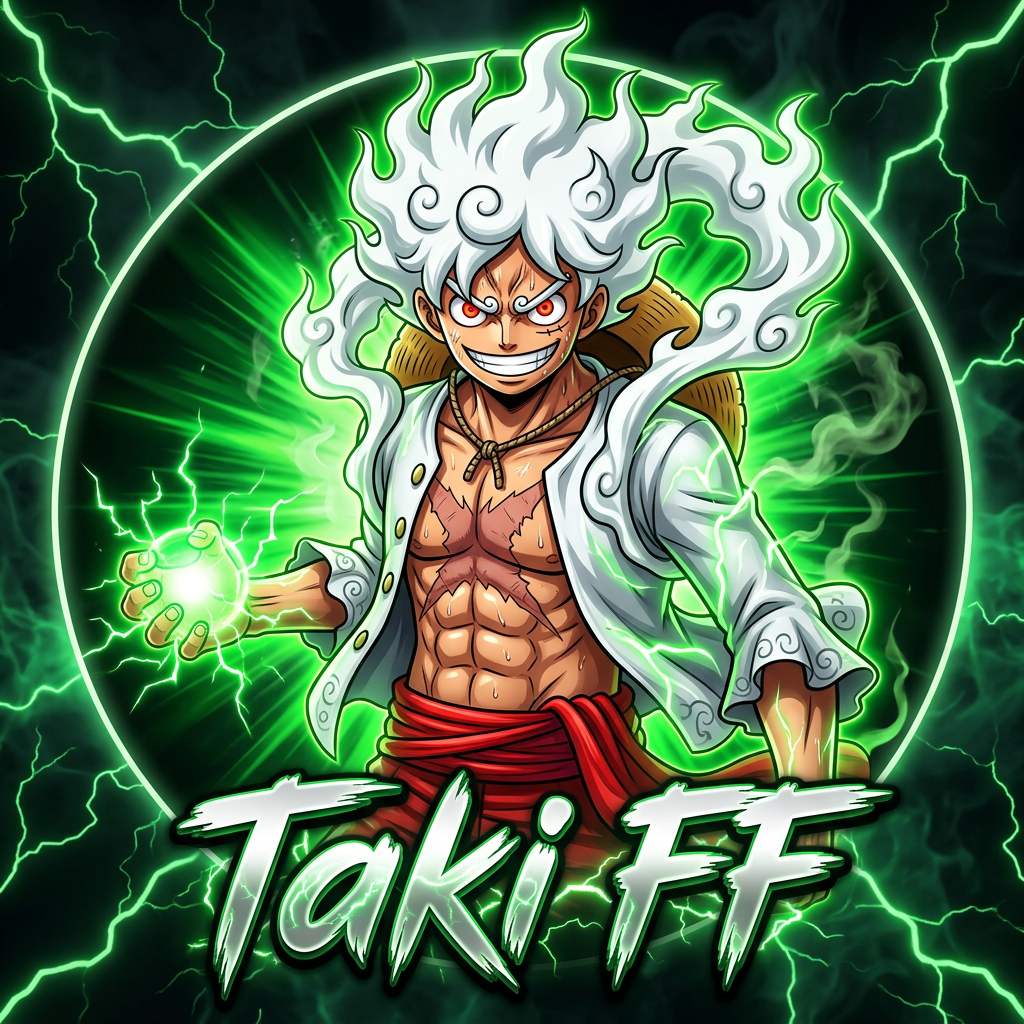
Best For: Players who main aggressive characters like Tatsuya or Hayato. The toxic green vibe perfectly complements a rusher playstyle.
Try Toxic Green
2. White Assassin Logo
The White Assassin Logo takes a completely different approach — clean, minimal, and devastatingly elegant. If Toxic Green is about raw power, White Assassin is about precision and sophistication. This template features:
- An anime-style masked character with a confident, calm expression
- One hand slightly lifting the collar while the other hand holds a sleek pistol behind the shoulder
- A glowing white circular ring frame that gives a premium, professional look
- Dark charcoal/black gradient background with subtle smoke texture
- Premium clean brush-style esports typography with 3D metallic white text
- Low-opacity white crosses (X) scattered in the background for graphic texture
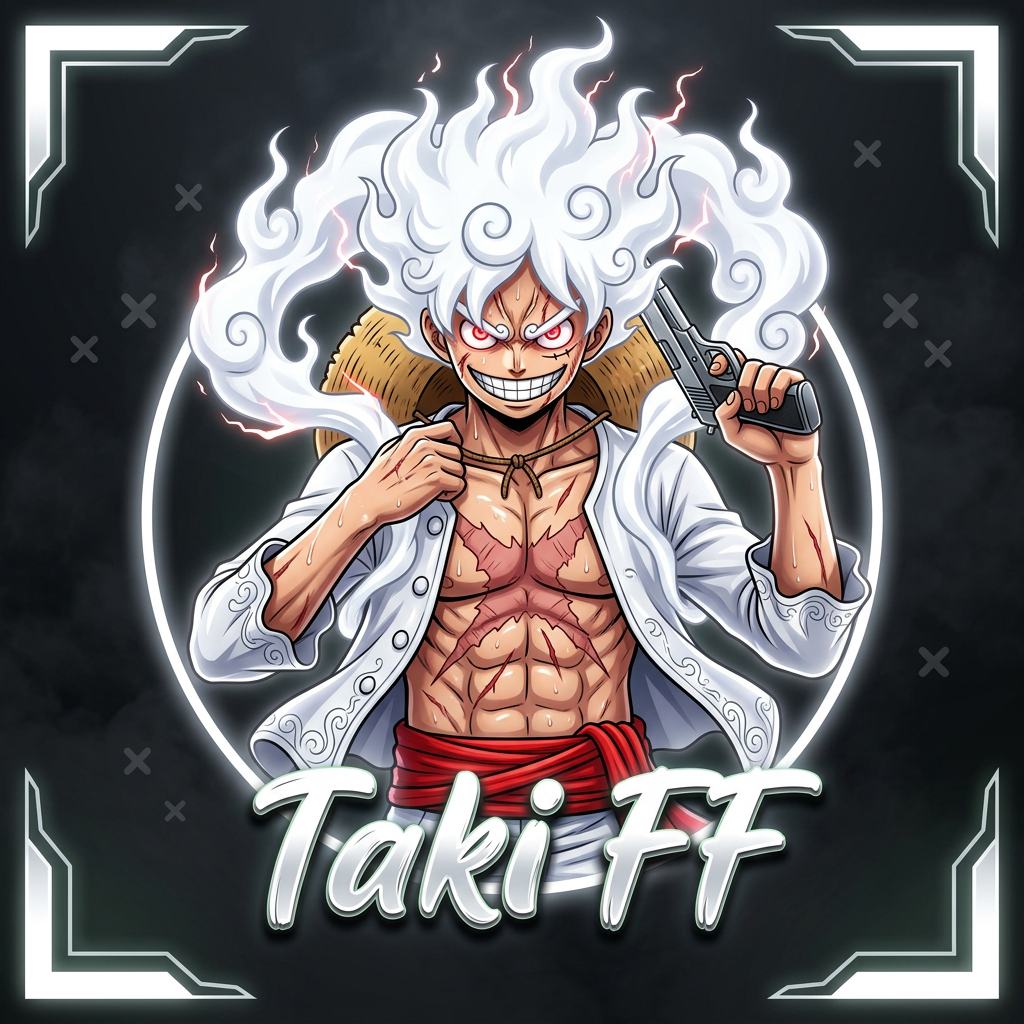
Best For: Content creators and streamers who want a professional, brand-ready logo. The clean white aesthetic works perfectly for YouTube channels and merchandise.
Try White Assassin
3. Purple Energy Logo
The Purple Energy Logo channels supernatural power and cosmic energy. Purple has always been associated with royalty and mystery in gaming culture, and this template captures that perfectly:
- A heroic stance character with back partially turned, looking over the shoulder at the viewer
- One hand creating a glowing purple energy sphere with lightning sparks
- Circular glowing purple electric ring frame surrounding the entire logo
- Dark purple gradient background with energy smoke and comic halftone dot patterns
- Thick 3D metallic esports typography with purple neon edges
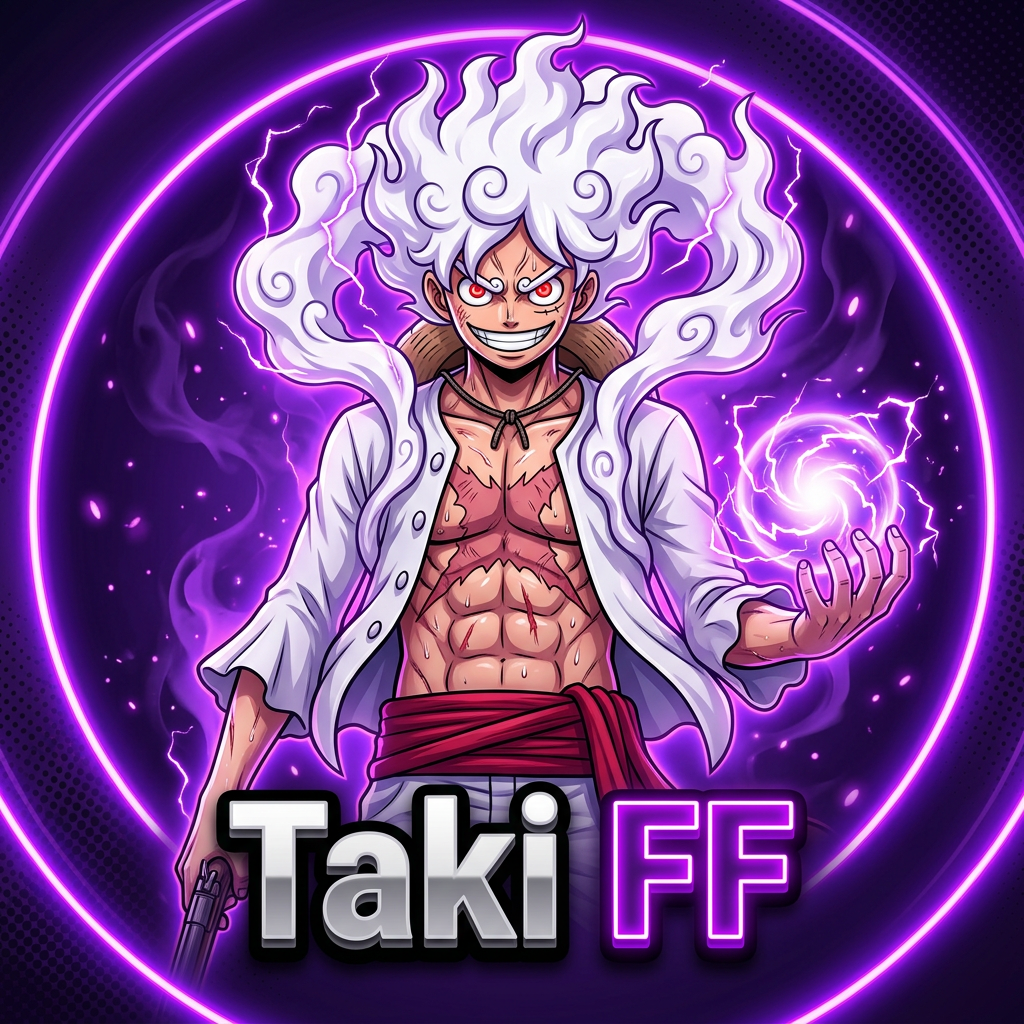
Best For: Players who want a mystical, powerful aesthetic. Works great with characters like Chrono or K (Captain Booyah) themed setups.
Try Purple Energy
4. Red Samurai Logo
The Red Samurai Logo brings fierce warrior energy to your gaming identity. Red represents aggression, dominance, and the fighting spirit — exactly what every competitive FF player needs:
- Character turned to the side, holding a silver pistol near the head in a confident pose
- Confident smirk expression with glowing red eyes
- Glowing electric red ring frame that screams power
- Deep dark red gradient background with subtle sparks and particles
- Thick metallic esports font with bright white glowing edges and red inner glow
- Futuristic corner frame lines with soft glow for a modern touch
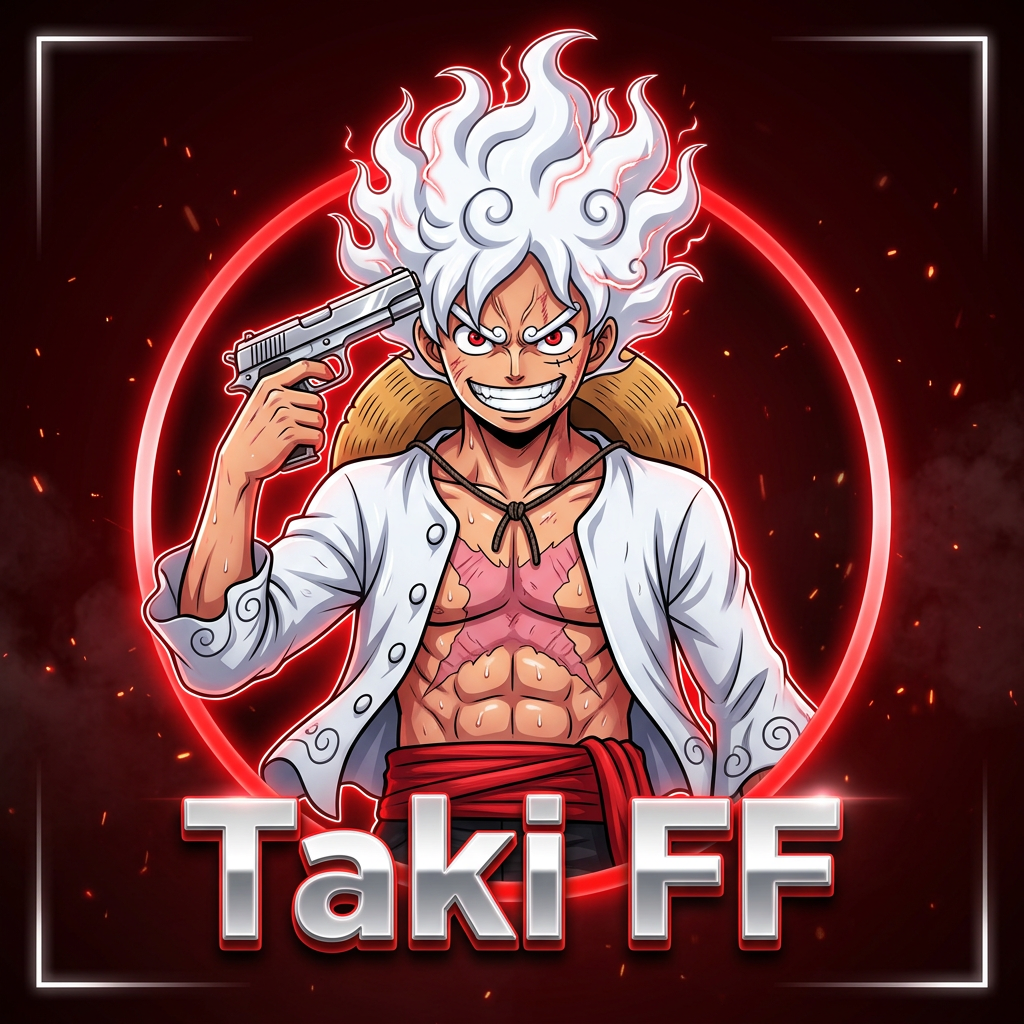
Best For: Aggressive rushers and players who dominate in Clash Squad. The samurai theme is perfect for anyone who leads their squad into battle.
Try Red Samurai
How to Create Your Custom Logo — Step by Step
Creating your personalized esports logo takes less than 60 seconds. Here is exactly how to do it:
- Open the Logo Maker: Visit the Taki FF Logo Maker page. Make sure you are on the "Logo" tab.
- Choose Your Template: Scroll through the available templates and select one of the new designs (marked with a "NEW" badge). Each template preview shows you the general style before generating.
- Enter Your Name: Type your gaming name or team name in the text field. This will appear as the main text on your logo.
- Select Your Color: Choose your preferred color from the color picker. The entire logo design — background, glow effects, and accents — will match your selected color.
- Upload Your Photo (Optional): For templates that support character customization (like Toxic Green for example), you can upload a reference photo. The AI will incorporate elements of your appearance into the design.
- Click Generate: Hit the generate button and wait 15-30 seconds while our AI creates your unique logo.
- Download: Once generated, click the download button to save your high-resolution logo. You can generate multiple variations until you find the perfect one.
Tips for Getting the Best Logo Results
- Keep your name short: Logos look best with short names (3-10 characters). Long names can get compressed and become harder to read at small sizes.
- Choose contrasting colors: If your profile background is dark, choose bright colors like Neon Green or Electric Blue. For light backgrounds, darker tones like Deep Red or Purple work better.
- Try multiple generations: Since each logo is AI-generated, you will get slightly different results each time. Generate 3-4 versions and pick your favorite.
- Use a clear reference photo: If uploading a photo, use a clear, well-lit image with your face visible. Avoid blurry or low-resolution photos for the best results.
Coming Soon: We are working on even more logo templates including Anime Villain, Cyber Ninja, and Galaxy themes. Stay tuned by checking our Blog regularly for announcements!