Your YouTube banner is the single most important visual element of your gaming channel. It is the first thing viewers see when they land on your page, and it instantly communicates whether you are a casual player or a serious content creator. A professionally designed banner can significantly boost your subscriber count, channel credibility, and overall brand identity in the competitive gaming space.
Today, we are proud to release 4 brand new anime-style banner templates on the Taki FF AI Banner Maker. Each template is crafted in the popular 1546 × 423 pixel format — the official YouTube banner safe zone dimensions — ensuring your banner looks perfect across desktop, mobile, and TV screens.
Why Choose Anime-Style Banners?
The anime art style has become the dominant aesthetic in the gaming content creator space. From YouTube to Instagram to Discord servers, anime-style banners are recognized and loved by gaming audiences worldwide. Here is why the anime style works so well for gaming channels:
- Instant Recognition: Anime visuals are immediately attention-grabbing and stand out in a crowded YouTube feed
- Emotional Connection: The dramatic poses, dynamic lighting, and intense expressions in anime art create an emotional connection with viewers
- Professional Appeal: High-quality anime art signals professionalism and dedication, encouraging viewers to subscribe
- Versatile Customization: Anime style allows for dramatic color themes, energy effects, and text integration that realistic photography cannot match
The 4 New Banner Templates
1. Fire Anime Legend
The Fire Anime Legend banner is our most intense and aggressive design. It is built for players who want their channel to radiate pure power and dominance. This template features:
- An extreme close-up upper-body character with a confident, dominant posture
- Dramatic flame energy background flowing diagonally across the full banner width
- Clone effect — two shadow-like clones of the character in the background at low opacity, creating a ghost/motion aura
- Professional halftone dot pattern waves for a modern esports design texture
- Floating sparks, glowing embers, and subtle light streaks throughout the composition
- 3D glowing metallic text with flame energy wrapping around selected letters
- Small YouTube and Instagram icons in clean metallic style below the name
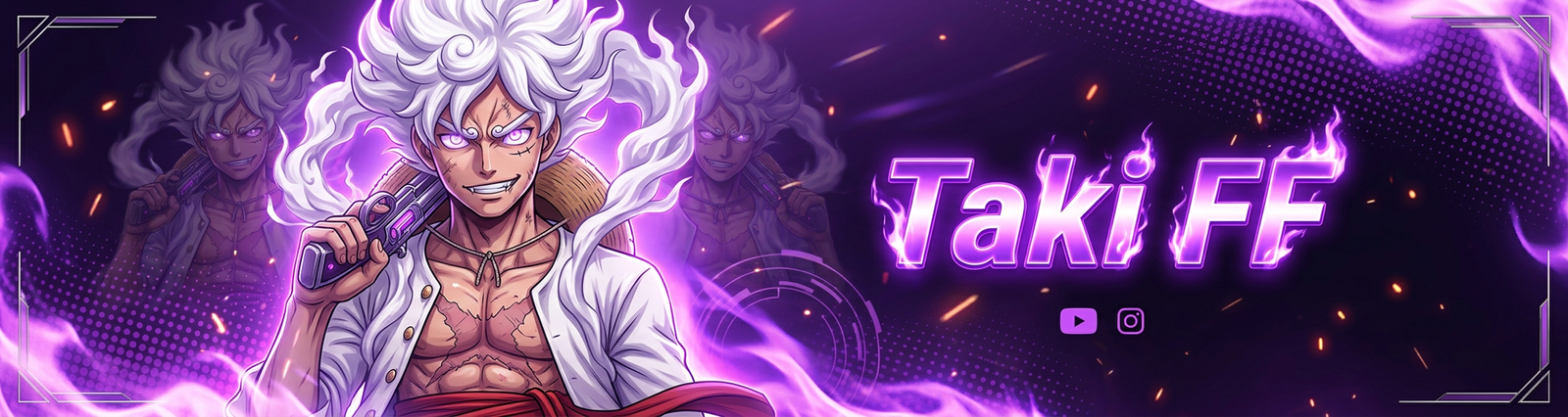
Best For: Aggressive gameplay channels, rush montage compilations, and players who main rushing characters. The fire theme perfectly matches high-energy content.
Try Fire Anime
2. Thunder Anime Legend
The Thunder Anime Legend takes a darker, more menacing approach. While Fire is about raw aggression, Thunder is about calculated danger and overwhelming power. Key features include:
- Dark color-themed gradient fading into black edges for a cinematic atmosphere
- Fire flames rising behind the character combined with thunder lightning bolts cutting through the background
- Metallic scratch marks and battle-damage texture for an aggressive gaming vibe
- Character holding a sleek silver pistol near the collarbone with a dangerous smirk
- Bold metallic 3D glowing text with scratched and cracked letter effects
- Faint zig-zag cross pattern overlay for professional esports design texture
- Flaming waves from corner sides with glowing weapon elements
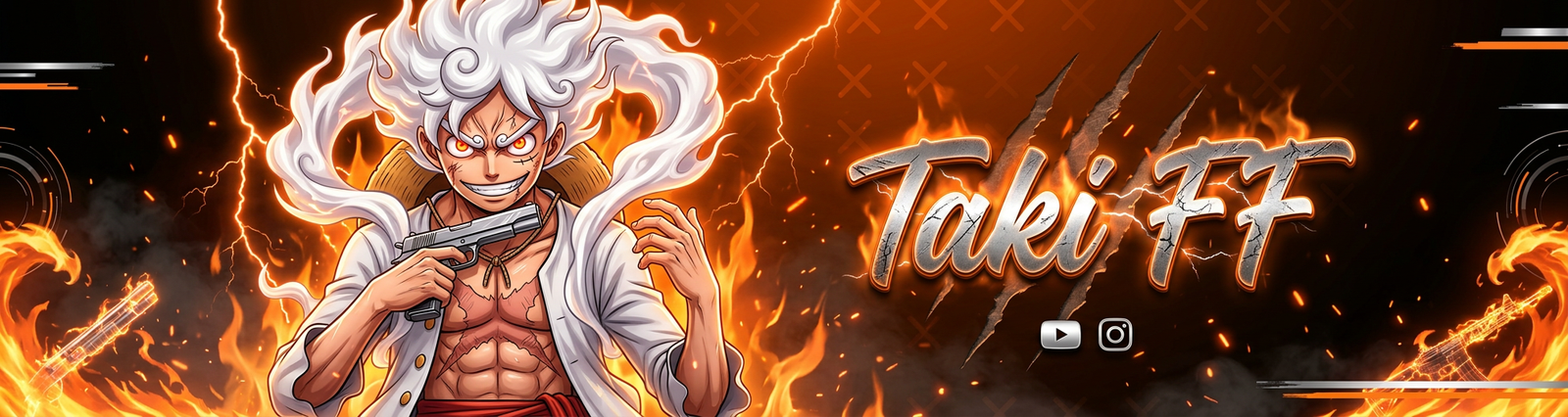
Best For: Competitive players, tournament content, and rank push highlight channels. The thunder theme conveys strategic dominance.
Try Thunder Anime
3. Electric Blue Legend
The Electric Blue Legend offers a clean, futuristic, and tech-forward aesthetic. Blue tones are associated with trust, calmness, and technological sophistication, making this template ideal for channels that want a modern and polished look:
- Deep blue gradient with subtle scratch marks and glowing blue particles
- Character with electric blue backlight and strong white rim lighting outlining face and hair
- Low-opacity white X crosses scattered in the background for a clean esports design pattern
- Stylized ocean wave shapes mixed with soft fog/mist effects on the corners
- Bold clean brush-neon typography where every letter is clearly separated and fully visible
- 3D glowing white-blue neon letters with subtle shadow for maximum readability
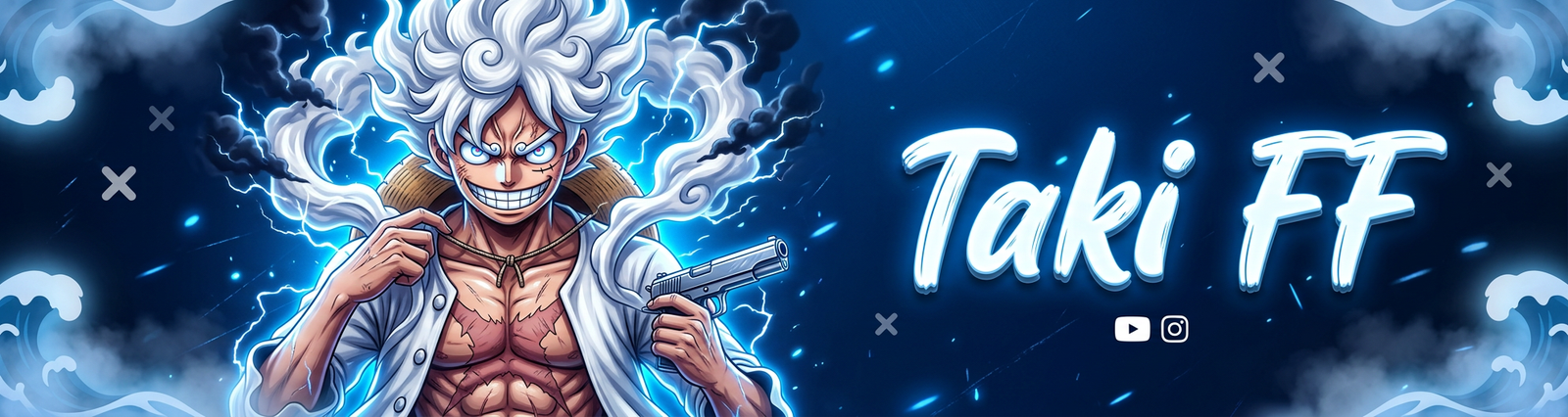
Best For: Tutorial channels, educational gaming content, and creators who want a professional, brand-safe aesthetic that appeals to a broad audience.
Try Electric Blue
4. Phantom Purple Legend
The Phantom Purple Legend is our most mysterious and cinematic design. Purple represents power, luxury, and the supernatural — making it the perfect choice for channels that want to stand out with a unique and unforgettable visual identity:
- Character on the left emerging from shadow, one hand holding a pistol pointed toward camera
- Other hand firing a glowing purple energy ball with electric sparks
- Energy ball has bright white core with deep violet flames and lightning cracks
- Dark deep purple gradient with glowing aura behind the character
- Soft volumetric smoke and floating spark particles for atmospheric depth
- Black and white split dotted halftone pattern in corners for graphic premium touch
- Bold white metallic text with neon purple gradient glow
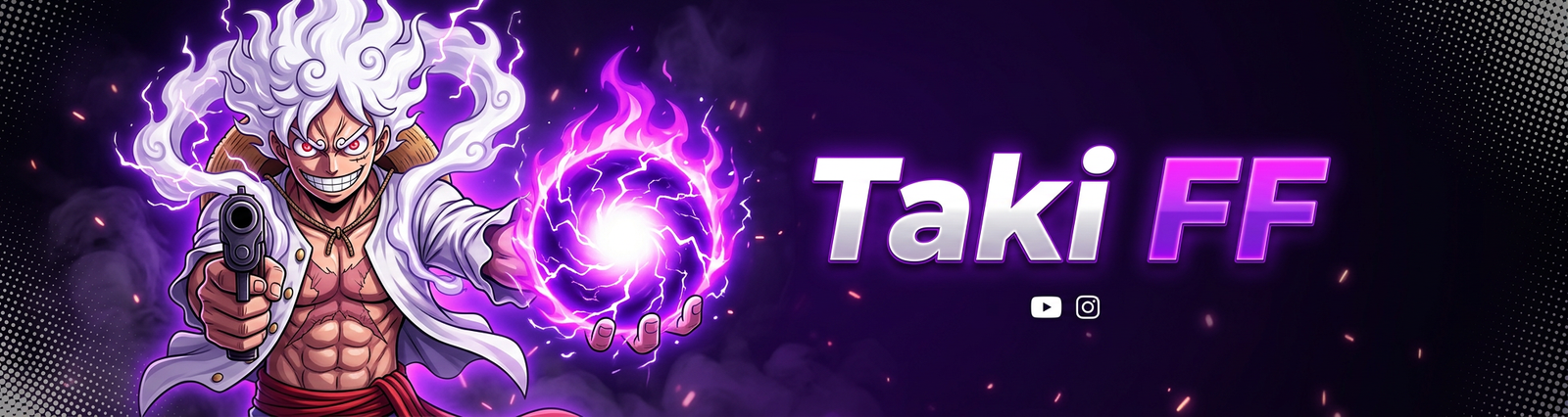
Best For: Mystery-themed content, sniper montages, and players who prefer a stealthy or supernatural aesthetic. The phantom theme works beautifully for channels with dark, atmospheric content.
Try Phantom Purple
How to Create Your Custom Banner — Step by Step
Creating a professional YouTube banner with our AI tool takes less than two minutes. Follow these steps:
- Open the Banner Maker: Go to our Banner Maker page. You can also access it from the GFX Tools menu and select the "Banner" tab.
- Choose an Anime Template: Browse the available templates and select one of the four new anime designs. Each has a preview image showing the general style.
- Enter Your Channel Name: Type your gaming name or YouTube channel name. This becomes the main text on the banner. Keep it short and impactful (4-12 characters works best).
- Select Your Color Theme: Pick a primary color. The entire banner — background, glow effects, energy aura, and accent elements — adapts to your chosen color.
- Upload a Reference Photo (Optional): For the best results, upload a clear photo of yourself or a character reference. The AI will create an anime-style representation based on your photo.
- Click Generate: Hit generate and wait 20-40 seconds. The AI creates a unique, high-resolution banner tailored to your inputs.
- Download & Upload: Download your banner and upload it to YouTube Studio under Customization → Branding → Banner Image.
YouTube Banner Size Guide
YouTube banners can be tricky because they display differently across devices. Here is what you need to know:
- Recommended Size: 2560 × 1440 pixels (full bleed)
- Safe Area: 1546 × 423 pixels (this is the area visible on ALL devices — our templates are designed around this exact size)
- Desktop View: Shows the center 2560 × 423 area
- Mobile View: Shows only the center 1546 × 423 area
- TV View: Shows the full 2560 × 1440 area
Our AI-generated banners are optimized for the safe area (1546 × 423), which means your name, character, and all important design elements will always be visible regardless of which device your viewers use.
Tips for a Professional YouTube Banner
- Match your logo colors: Use the same color theme for both your logo and banner to create a cohesive brand identity.
- Keep text minimal: Your channel name should be the only major text. Avoid adding too many social media handles or descriptions — they become unreadable on mobile.
- Update regularly: Change your banner when you hit subscriber milestones, during special events, or when a major game update launches to keep your channel looking fresh.
- Avoid text in corners: YouTube overlays your profile picture and subscribe button on parts of the banner. Keep all important elements in the center safe zone.
Bonus Tip: Pair your new anime banner with a matching logo from our Logo Maker for a complete, professional channel branding package. Check out our 4 New Logo Templates for matching options!